


BILIBILI COMICS - Manga Reader
0.00.00 Reviews
App Specs
- Version
- 1.0.4
- Updated On
- License
- Free
- Downloads
- 10,000+
- Developer
- ASUSEDEVSE
- Categories
- Comics
- Platform
- Android
Screenshots
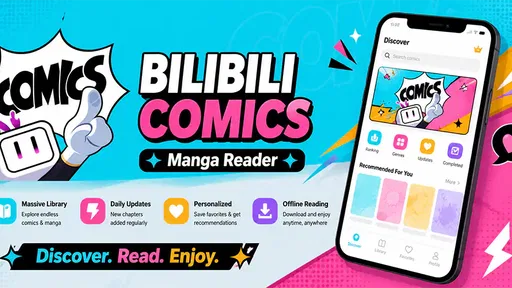
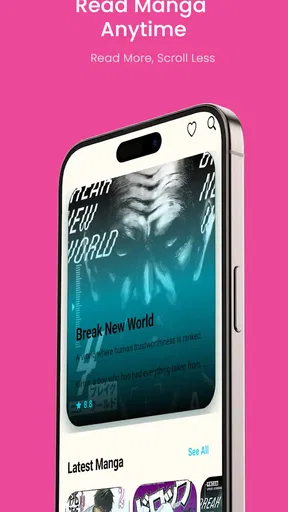
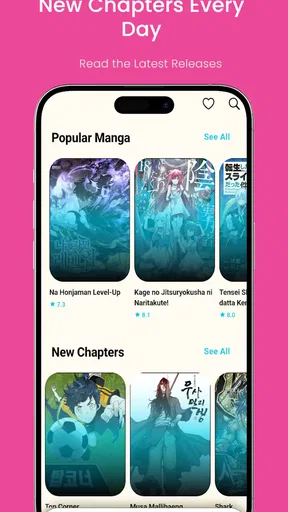
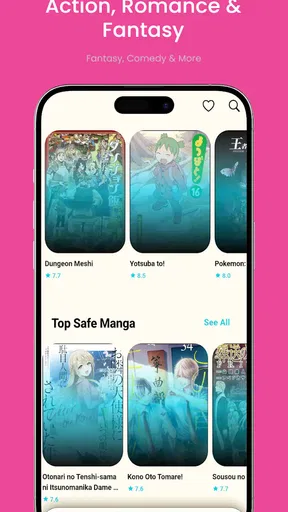
 Analysis by AppCompare
I approached BILIBILI COMICS - Manga Reader as someone who wants a comfortable way to browse manga without turning reading into a chore. It is a free comics app from ASUSEDEVSE, aimed at discovering, organizing, and exploring manga in one place. The app is rated for Everyone, runs on Android 7.0 or later, and its current version is 1.0.4.
My main focus was not simply whether I could open a comic and start reading. I wanted to see how clearly the app supports different reading habits, levels of visual comfort, motor abilities, and everyday situations such as reading during a short break or using a phone with one hand. That perspective matters because a manga reader can have an attractive catalog and still become tiring if navigation is unclear or the reading flow demands too much effort.
Readability and navigation shape the first impression
The strongest idea behind this app is its straightforward purpose. Instead of treating manga as just another type of media, it puts the reading journey at the center: find something interesting, keep track of it, and return to it later. I found that approach more useful than a general entertainment app where comics are mixed with unrelated content.
For a new reader, the most important question is whether the screen makes the next action obvious. A good manga app should reduce the number of decisions between opening it and reaching a chapter. BILIBILI COMICS - Manga Reader feels best suited to readers who appreciate a focused environment rather than a complicated collection of menus. Its value is less about novelty and more about giving manga a dedicated home on the phone.
Readability depends on more than the artwork itself. Manga pages often contain small dialogue bubbles, dense panels, stylized lettering, and strong contrasts between light and dark areas. I recommend beginning with a short chapter and checking whether your eyes remain comfortable before committing to a long reading session. If text feels cramped, changing the phone’s display size or moving to a larger screen may help, although those adjustments affect the whole device rather than the app alone.
One useful habit is to separate discovery from reading. I would browse when I have time, save or organize titles that catch my attention, and reserve actual chapter reading for a quieter moment. That avoids repeatedly scanning the same choices and makes the app feel more like a personal shelf than an endless stream of recommendations.
Small navigation habits make a noticeable difference
Readers with a large collection should avoid relying only on memory. The organizing side of the app becomes more valuable when you treat it as a reading system: keep track of titles you genuinely intend to continue, remove items that no longer interest you, and use a consistent order when deciding what to read next. This is a simple workflow, but it prevents the common problem of collecting more manga than you can realistically follow.
Worth Reading Before You Choose

EA SPORTS FC Mobile 26 Is a Bigger Football Game, but It Takes Time

Flipboard Shows What News Apps Must Do Beyond the Feed

Switching to Android Auto Means Rethinking Your Driving Routine

Google Calendar Makes a Crowded Week Easier to Manage

Ludo King Makes the Most of the Minutes Between Plans

Baby Panda World Brings Quick Play to Modern Phones, but Its Game Library Feels Busy
I also suggest using the app in landscape and portrait orientations to see which feels more natural for your phone. Portrait mode is usually convenient for holding a device in one hand, while landscape can make wide panels easier to inspect. The better choice depends on the page layout and your eyesight, so switching orientation is worth trying instead of assuming one setting will suit every title.
That flexibility is particularly helpful for readers who enlarge text on their phone or prefer a less crowded view. At the same time, it is important to distinguish between a comfortable device setting and a dedicated accessibility control. General display adjustments can improve the experience, but they may not solve every issue caused by tiny lettering or complex artwork.
Motor and sensory considerations during real reading
A manga reader is used repeatedly, so the physical effort of browsing matters. Tapping through pages, changing orientation, searching for a title, and returning to a saved series can become tiring for people with limited dexterity or hand pain. My advice is to test the app with the phone resting on a table rather than holding it continuously. That simple change can reduce grip fatigue and make longer sessions more manageable.
For one-handed use, the size of the phone and the position of the controls become just as important as the content. Readers who frequently switch hands may prefer shorter sessions with the device supported against something stable. If reaching the far side of the screen is uncomfortable, a two-handed grip or a stand is more practical than repeatedly stretching a thumb.
People sensitive to bright screens should approach manga reading with the same care they would use for any visually intense app. Dark artwork, white page backgrounds, and rapid changes between panels can all affect comfort. I would lower brightness to the room’s level, avoid reading in complete darkness, and take breaks before eye strain becomes noticeable. These are not special app features, but they make a meaningful difference to how usable the experience feels.
Readers with color-vision differences may find that some cover art, badges, or visual distinctions are less immediately clear than they are for other users. Manga itself can also rely on subtle shading and color contrasts. When a title or category is difficult to identify visually, reading the accompanying text rather than depending on color alone is the safer approach.
For people who are sensitive to motion or visual clutter, a deliberate routine helps. Open the app with one goal, such as continuing a particular title, instead of browsing indefinitely. The more time spent moving through promotional artwork and recommendations, the greater the chance that the interface becomes tiring even when the actual reading is comfortable.
Supportive routines for different abilities
Someone with dyslexia or another reading difficulty may benefit from choosing manga with clearer lettering and less crowded dialogue, but the app cannot change the author’s page design. A reader who needs text reflow, selectable dialogue, or a typeface designed for easier reading may find a conventional manga reader limiting. Manga pages are usually composed as images, so the visual layout is part of the artwork and cannot be treated like ordinary adjustable text.
For readers with hearing loss, the core activity is naturally visual, which can make manga more approachable than media that depends on spoken dialogue. However, sound-related comfort is still personal. If you prefer silent reading, the app fits that habit well; if you rely on audio narration or spoken descriptions, a visual manga reader may not meet your needs.
Users with low vision should test a familiar title before building a large library around the app. Enlarging the phone display, using a larger device, and reading in good lighting may help, but these solutions have limits. If you need reliable magnification behavior, text extraction, or detailed image descriptions, a specialized reading setup may be a better choice than expecting the app to provide everything.
Situational access: where the app fits everyday life
I can see this app working well during a commute, a lunch break, or a quiet evening at home. A phone is always close by, and a dedicated comics app makes it easier to use a few spare minutes for a chapter rather than opening a general social platform and losing track of time. The free price also lowers the barrier for someone who wants to explore manga before deciding whether this reading habit is worth maintaining.
A realistic scenario would be a reader who has fifteen minutes before an appointment. Instead of starting an unfamiliar long series, they can open the app, return to a title already organized in their collection, and read until it is time to leave. That workflow is more dependable than searching from scratch every time, especially for users who find repeated navigation mentally tiring.
On a crowded bus or train, one-handed reading may be convenient, but it also creates a stability problem. Holding a phone while standing, managing a bag, and turning pages at the same time is not ideal for anyone, particularly users with reduced grip strength or balance concerns. In that situation, I would use the app only when the device can be held securely and the environment allows attention to remain on the screen.
In bright outdoor light, artwork and small lettering can become harder to read. Indoors, reflections from windows and overhead lights may cause a similar problem. A larger screen can improve page visibility, but it also adds weight and may be less practical for travel. This is one of the app’s central trade-offs: the phone makes manga portable, while portability can work against comfort.
For families, the Everyone rating is reassuring as a broad age classification, but it should not replace a parent’s judgment about individual manga. Different stories can have different themes and levels of intensity. I would still look at the specific title before handing the device to a child, especially when the reader is young or sensitive to frightening imagery.
Comparing it with familiar alternatives
Compared with reading manga through a mobile browser, a dedicated app feels more purposeful. A browser is useful when you need quick access without committing to another app, but it can leave your reading activity mixed with unrelated tabs and distractions. BILIBILI COMICS - Manga Reader is the better fit when you want a repeatable place for manga discovery and organization.
Compared with a general ebook reader, this app is more naturally aligned with illustrated pages. Ebook apps are often stronger for adjustable text, notes, typography, and long-form prose. If your priority is resizing flowing text or using reading tools designed for novels, an ebook reader may be more accessible. If your priority is browsing and reading manga as composed pages, this app makes more sense.
Compared with a webcomic platform, the experience depends on what kind of reading you prefer. Webcomic services often emphasize vertical scrolling and quick mobile consumption, while manga readers are generally more comfortable for panel-by-panel page layouts. I would choose this app for readers who enjoy the structure of manga pages rather than a continuous feed.
There is also a difference between a dedicated manga app and storing downloaded comic files in a file manager. Local files can offer more control over storage and sometimes work without a service interface, but they require manual organization and do not provide the same discovery-oriented experience. This app is aimed at people who want the library process handled inside a comics environment rather than assembled folder by folder.
Remaining barriers and practical trade-offs
The app’s focused design is also its limitation. Readers who need deep customization should be cautious. A comfortable experience may depend heavily on the phone’s screen, operating-system settings, lighting, and the way each manga page was created. The app can organize and present comics, but it cannot make every page equally readable for every person.
Another barrier is the difference between discovering a title and actually reading it comfortably. Cover browsing can be easy while interior pages remain demanding because of fine lettering or busy artwork. I would not judge the app only by how attractive the catalog looks. Open a sample chapter, inspect several pages, and pay attention to whether your eyes and hands remain relaxed.
Readers who need keyboard navigation, screen-reader-friendly labels, or highly specific control customization should test those workflows directly on their device. A touch-first comics experience may be perfectly manageable for many people but frustrating for someone who cannot use precise taps or who depends on assistive technology. In that case, an alternative with clearly documented accessibility controls would be a safer choice.
There is also a concentration trade-off. The app encourages exploration, which is useful when you want to find something new, but browsing can become a distraction when you only want to finish a chapter. My solution is to open it with a defined task and leave once that task is complete. Organizing a smaller, intentional reading list is more accessible than maintaining a huge collection that constantly demands attention.
Device age may matter as well. The app supports Android 7.0 and later, which includes older phones that may have smaller displays or less responsive touchscreens. That broad compatibility is helpful, but an older device can still make page turning, orientation changes, or image-heavy reading feel less comfortable. A supported operating system does not automatically guarantee an equally smooth experience on every handset.
ASUSEDEVSE has positioned the app as a free comics option, and that makes experimentation easy. Still, free access does not remove the need to consider your own reading priorities. If you want a highly specialized reader for local files, advanced typography, audio support, or extensive magnification behavior, another category of app may serve you better.
Who should use it and who should skip it
I would recommend BILIBILI COMICS - Manga Reader to someone who wants a dedicated place to explore manga, organize personal interests, and read on a phone without building a manual system from scratch. It is especially suitable for casual readers, newcomers who want to browse before settling on favorites, and regular readers who appreciate keeping comics separate from books and general entertainment.
It is also a sensible option for readers who value visual discovery. The app’s comics-first identity makes more sense than a plain file manager when the enjoyable part is finding the next title as well as reading the current one. The free price makes it easy to try without turning the first decision into a financial commitment.
I would skip it, or at least compare it carefully with alternatives, if your main requirement is reflowable text, robust audio assistance, extensive keyboard control, or a library built entirely from your own files. Readers with significant low vision should test actual pages before relying on it. The same applies to anyone who experiences hand fatigue: the app may be useful, but a stand, larger screen, or shorter sessions could be necessary.
The app has reached over ten thousand installs, which suggests that it has found an audience while remaining a relatively focused choice rather than an unavoidable default. Its current version, 1.0.4, is a reminder to keep expectations practical: I see it as a straightforward manga-reading tool, not a replacement for every specialized accessibility or library-management solution.
An inclusive verdict for manga readers
My overall impression is positive, with an important qualification: the app’s accessibility comes mainly from its simple purpose and the flexibility of the phone around it, not from a long list of specialized controls. That can be enough for many readers. A clear comics destination, organized reading habits, sensible brightness, and a supported device can produce a comfortable experience.
The best way to approach it is to test your own reading conditions rather than assume that every manga will feel the same. Try portrait and landscape, check small lettering, use a stable grip, and read in the lighting where you normally use your phone. Those few checks reveal more than a quick look at the home screen.
My recommendation is to try it if you want an approachable, free manga app with discovery and organization at its center. I would pair that recommendation with realistic expectations for readers who need advanced text adjustment, audio description, or highly customized controls. For everyday manga browsing and phone-based reading, BILIBILI COMICS - Manga Reader is a reasonable starting point, especially when you build a personal routine that matches your eyesight, mobility, and surroundings.
Pros
- Large catalog of manga
- manhua
- and webcomics in multiple genres.
- Clean reader with adjustable brightness
- scrolling
- and reading modes.
- Frequent chapter updates for many ongoing series.
- Offline downloads make selected chapters available without internet.
- Personalized recommendations help discover titles matching your interests.
Cons
- Many popular series require coins
- subscriptions
- or individual purchases.
- Free chapters may be limited
- with waiting periods for new releases.
- Availability of titles and translations varies by region.
- The app can feel crowded with promotions and premium content notices.
- Some series may contain inconsistent translation or editing quality.
FAQs for BILIBILI COMICS - Manga Reader
What is BILIBILI COMICS - Manga Reader?
BILIBILI COMICS is a digital manga and webcomic reading app that offers a broad selection of serialized stories across genres such as romance, fantasy, action, comedy, and drama. The app is designed for mobile reading, with chapter-based navigation, personalized recommendations, and a library where readers can follow ongoing series and keep track of their progress.
Is BILIBILI COMICS free to use?
The app can generally be downloaded and used for free, and some titles or chapters may be available without payment. However, access to the complete catalog can vary by series, region, and publishing agreements. Certain chapters may require in-app coins, subscriptions, or other purchases, so users should check the individual title and payment details before unlocking premium content.
Does BILIBILI COMICS offer offline reading?
Offline availability depends on the title, account status, and current app features. Where downloads are supported, readers can save selected chapters for situations without a stable internet connection, such as travel. Downloaded content may have restrictions, including expiration or access limitations, and it is best to download chapters through the official app rather than relying on external files.
What genres and types of comics are available?
BILIBILI COMICS focuses mainly on digital manga, manhua, webcomics, and other serialized illustrated stories. Its catalog commonly includes romance, boys’ love, fantasy, supernatural adventures, historical settings, action, school stories, and slice-of-life series. Availability can differ by country, and some titles may be updated weekly or according to the publisher’s release schedule.
Is BILIBILI COMICS suitable for children?
The app is not automatically suitable for every child because its catalog may include mature themes, violence, suggestive situations, or emotionally intense storylines. Parents should review the platform’s age rating, privacy options, and individual series descriptions before allowing access. Children should also use purchases carefully, since premium chapters and coins may involve real-money transactions.


